
Have you found it difficult to calculate QB payroll taxes/ manage tax payments/ or meet payroll tax filing deadlines? It can be challenging to maintain Payroll Tax Compliance in QuickBooks for small businesses because it involves accurate tax calculations/ employee withholdings/ and employer contributions. Even a small payroll mistake can lead to incorrect tax payments/ compliance issues/ or unnecessary penalties.
QuickBooks Payroll helps ease these responsibilities by automating payroll tax calculations, tracking tax liabilities, and managing eligible tax payments. You can also use a QuickBooks Payroll Calculator to understand payroll tax calculations and estimated deductions. It is required to understand QuickBooks payroll tax compliance whether you are a small business owner/ accountant/ or payroll administrator. It can help you manage payroll and maintain accurate financial records.
In this guide, we will explore how QuickBooks calculates/ manages payroll taxes/ how to pay and file payroll tax forms. Learn practical ways to maintain compliance with federal and state tax requirements.
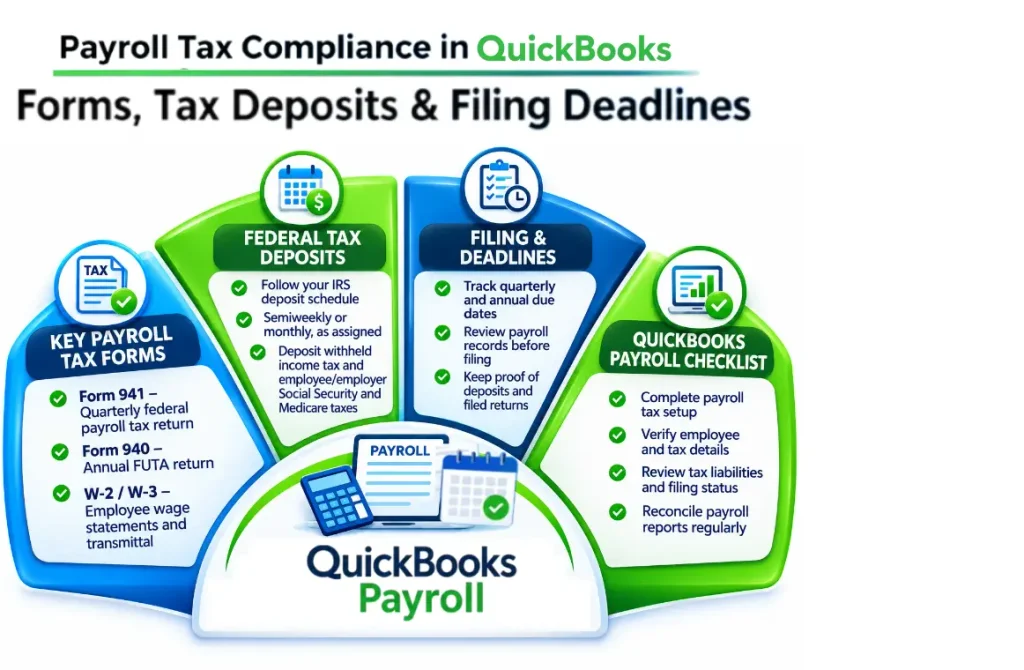
QuickBooks calculates payroll taxes based on employee earnings and tax settings, then summarizes them in the payroll tax section. It also helps businesses track Payroll Tax Liabilities in QuickBooks, manage tax payments, monitor filing deadlines, and maintain accurate payroll records.
Note: QuickBooks helps reduce manual work and payroll errors. But employers should review tax calculations and QuickBooks payroll tax filing deadlines to maintain compliance.
Completing the Payroll Tax Compliance in QuickBooks is essential for accurate tax calculations, managing payroll liabilities, and meeting applicable tax requirements. Follow the given steps to complete payroll tax setup.
It simplifies tax payments and filings by helping businesses track tax Payroll tax Compliance in QuickBooks, submit payments, and manage filing deadlines. Follow these steps:
Note: Automatic tax payments and QuickBooks payroll tax filing depend on subscription/ tax setup/ eligibility/ etc. Always check deadlines to avoid late payments and penalties.
Employers using QuickBooks Online Payroll need to file various federal/ state/ and local payroll tax forms based on their location. It helps to prepare/ track/ and electronically file these forms.
| Tax form | Purpose | Filing Frequency |
| Form 941 | Reports federal income tax withholdings, Social Security, and Medicare taxes. | Quarterly |
| Form 940 | Reports annual Federal Unemployment Tax (FUTA). | Annually |
| Form 944 | Reports federal employment taxes for eligible small employers authorized to file annually. | Annually |
| Form 943 | Reports federal employment taxes for agricultural employees. | Annually |
| Form W-2 | Reports employee wages and taxes withheld. | Annually |
| Form W-3 | Summarizes and transmits W-2 information to the Social Security Administration. | Annually |
| State Tax Forms | Report state income tax withholding and state unemployment taxes. | Varies by state |
| Local Tax Forms | Report applicable local QuickBooks payroll tax compliance. | Varies by location |
Note: QuickBooks Payroll offers automatic tax payment and filing services with eligible subscriptions. Availability depends on the payroll plan, tax setup, and applicable service terms. Review your account settings to confirm which services are enabled.
Small businesses in the US must follow Payroll Tax Compliance in QuickBooks to deposit employment taxes and file required payroll tax forms according to the IRS schedule. This helps employers track payment schedules and upcoming QuickBooks payroll tax filing deadlines. The main due dates are:
Users may encounter tax calculation errors/ incorrect liabilities/ payment issues/ and filing problems. Here are some common issues and their solutions:
| Common problems | Solutions |
| Incorrect payroll tax calculations | Verify employee information and tax settings. |
| Federal or state taxes not withheld | Review employee W-4 and state withholding details. |
| Incorrect SUI tax amounts | Check state unemployment tax rates and wage limits. |
| Payroll tax payments missing | Review payment history and transaction records. |
| Incorrect tax liabilities | Run the Payroll Tax Liability Report and reconcile payments. |
| Payroll tax filing rejected | Correct the information mentioned in the rejection notice and resubmit. |
| Outdated payroll tax tables | Download the latest payroll tax table in QuickBooks Desktop. |
Take immediate action to avoid additional penalties and interest when you miss a payroll tax payment/ filing deadline. Follow these steps:
QB Payroll automates payroll tax calculations and manages tax payments and filings. Manual payroll requires employers to calculate taxes and manage deadlines.
| Comparison | QuickBooks Payroll | Manual Payroll Calculations |
| Tax Calculations | Calculates applicable payroll taxes. | Requires manual tax calculations. |
| Tax Rates | Uses applicable tax rates and updates. | Employers must monitor tax rate changes. |
| Tax Withholdings | Calculates employee tax deductions. | Employers calculate deductions manually. |
| Tax Payments | Supports eligible automatic tax payments. | Employers arrange tax payments themselves. |
| Tax Filing | Helps prepare and file supported tax forms. | Employers prepare and submit tax forms. |
| Error Risk | Reduces manual calculation errors. | More prone to manual calculation errors. |
| Recordkeeping | Maintains payroll and tax records. | Requires manual recordkeeping. |
| Time Management | Saves time through automation. | Requires more administrative work. |
QuickBooks Payroll cost depends on the subscription plan and number of active employees. According to QuickBooks US cost information:
Note: Prices are in USD and may change. Promotional discounts/ additional state filing fees/ and other charges may apply.
Follow these best practices to manage payroll taxes accurately and maintain compliance in QuickBooks:
Note: Regular payroll reviews and accurate employee records help reduce tax errors/ missed deadlines/ and potential compliance penalties.
Make QuickBooks Work Smarter for Your Business
Spend less time managing data and more time growing your business. Whether you need help setting up QuickBooks, cleaning up your books, reconciling accounts, or resolving errors, our team is here to make accounting easier. Get quick solutions that save time, improve accuracy, and keep your business finances on track.
Managing Payroll Tax Compliance in QuickBooks does not have to be complicated when you use QB Payroll. QuickBooks helps businesses ease certain payroll responsibilities to calculate employee tax withholdings and employer contributions. It tracks Payroll tax liabilities in QuickBooks/ manage payments/ and files required tax forms. Keep employee information updated to review tax calculations and maintain accurate payroll records. It helps businesses reduce errors and avoid compliance issues. Regular monitoring and proper payroll management remain essential to ensure accuracy and meet federal tax requirements.
Need help to manage your payroll tax records and QuickBooks data? Let the Data Service Team help you streamline your payroll data/ organize financial records/ and maintain accurate bookkeeping information. QuickBooks payroll tax compliance phone number Call us at +1(888)-718-7888 now!
QB calculates and manages payroll taxes through employee information/ gross wages/ tax withholding details/ and applicable federal taxes. QuickBooks calculates employee tax deductions/ including federal income tax/ and Medicare when a business processes payroll. It tracks payroll tax liabilities/ records tax payments/ and helps businesses manage important filing deadlines. QuickBooks can pay eligible payroll taxes and prepare/ file required tax forms based on the payroll subscription and tax settings. It includes Forms 941/ 940/ W-2/ and W-3.
Make sure the payroll tax setup is complete and your business bank account is connected for electronic payments to pay payroll taxes in QuickBooks Online. Navigate to All Apps > Payroll > Payroll Taxes and select the Payments tab to review outstanding tax liabilities/ upcoming payment deadlines. Choose Pay next to the applicable tax/ verify the payment amount/ bank account/ and payment date. Open the Filings tab/ review the forms listed under Action Needed/ and select File next to the required form to file payroll tax forms.
Employers using QuickBooks Payroll may need to file various federal/ state/ and local payroll tax forms based on their business location. Common federal forms include Form 941 for quarterly employment taxes/ Form 940 for annual federal unemployment taxes/ and Form W-2 for reporting employee wages. Some businesses may also need to file Forms 943/ 944 with state income tax withholding and unemployment insurance returns.
Small businesses in the United States must deposit federal payroll taxes based on the IRS monthly/ semiweekly deposit schedule. Monthly depositors must pay federal income tax withholdings/ Social Security/ and Medicare taxes by the 15th day of the following month. Semiweekly depositors must deposit taxes by the following Wednesday/ Friday based on employee payday. Employers must also file Form 941 quarterly by April 30/ July 31/ October 31/ and January 31.
The cost of QuickBooks Payroll to manage payroll taxes is based on the subscription plan/ number of employees/ and additional features required by the business. The advertised US payroll cost starts at $50 per month plus $7 per employee for Workforce Payroll. Workforce Premium costs $88 per month plus $13 per employee/ and Workforce Elite costs $134 per month plus $17 per employee. These plans include payroll tax calculation/ filing/ and payment services subject to applicable terms.
It can be more convenient and efficient than manually calculating payroll taxes. Because it automates employee tax deductions/ employer contributions/ payroll tax calculations/ and tax payment tracking. Manual payroll calculations require businesses to check federal/ state/ and local tax rates. It calculates withholding amounts/ maintain accurate records/ and monitors filing deadlines, which can increase the risk of calculation errors.
Navigate to All Apps \> Payroll \> Payroll Taxes to check outstanding payroll tax liabilities in QuickBooks Online. Open the Payments tab to review unpaid federal/ state/ and local payroll taxes. You can also select Payroll Tax Liability Report from the Reports section to view the taxes owed/ employee withholdings/ and employer contributions. Review the outstanding balances/ payment due dates/ and tax agency information to identify any unpaid obligations.
QuickBooks may show incorrect payroll tax amounts due to outdated payroll tax tables/ inaccurate salary/ and hourly wage details. Other possible reasons include unrecorded payroll adjustments/ changes in employee benefits/ deductions. Payroll tax discrepancies can occur when previous payroll transactions are incorrect. Businesses should review employee payroll profiles and verify tax settings to resolve these issues.
You should address the issue as soon as possible to avoid additional penalties and interest if you missed a payroll tax payment in QuickBooks. Open All Apps \> Payroll \> Payroll Taxes and review the Payments & Filings tabs to identify the missed payment/ unfiled tax form. If a payment is overdue, calculate the outstanding amount and submit it promptly through QuickBooks.

Get Free Consultation for QuickBooks Upgrade
(2021, 2022, 2023)