
Form 941 in QuickBooks helps business owners manage their quarterly payroll tax reporting. Form 941, also known as the Employer’s Quarterly Federal Tax Return, is used to report employee wages, federal income tax withheld, and Social Security and Medicare taxes. If you use QuickBooks Desktop or QuickBooks Online, knowing how to prepare this form can make payroll tax reporting easier.
This blog will walk you through how to file Form 941 in QuickBooks, print Form 941 in QuickBooks Desktop, and fix common issues when the form is not showing.
Form 941 is an important tax form that employers use to report payroll taxes to the IRS every quarter. It contains details about employee wages, federal income tax withheld, and Social Security and Medicare taxes.
QuickBooks Payroll uses your recorded payroll data to help fill in the required information. Before filing, you should review the figures carefully to make sure everything is correct.
If you find any errors, check your payroll records and fix them before submitting the form to avoid reporting problems.
Before filing Form 941 in QuickBooks, take a few minutes to review your payroll records. This helps you catch mistakes early and report the correct information to the IRS.
Here are the main things you should check before submitting the form:
Employers must file Form 941 every quarter to report employee wages and federal payroll taxes. The return is generally due by the last day of the month following each quarter.
| Quarter | Filing Deadline |
| Q1 2026 | April 30, 2026 |
| Q2 2026 | July 31, 2026 |
| Q3 2026 | November 2, 2026 |
| Q4 2026 | February 1, 2027 |
If a deadline falls on a weekend or legal holiday, it generally moves to the next business day. Remember that payroll tax deposits may be due earlier than Form 941 in QuickBooks.
Check the official IRS Form 941 instructions for the latest filing requirements.
If you use QuickBooks Desktop payroll, you can prepare Form 941 by using your quarterly payroll records. Before you start, make sure your payroll information is accurate, and your subscription supports the filing features you need. Follow these steps to prepare Form 941 in QuickBooks Desktop:
QuickBooks Online Payroll offers payroll tax filing features that can help you prepare and submit Form 941 in QuickBooks. The exact steps depend on your payroll subscription and whether automatic tax filing is enabled. Follow these steps to get started:
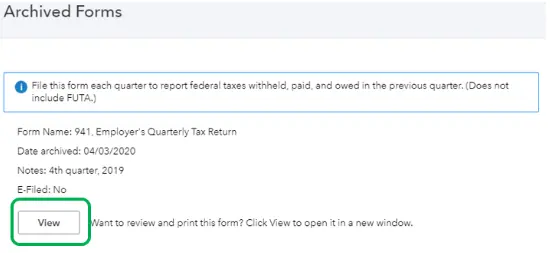
QuickBooks Desktop Payroll Enhanced lets you prepare, print, and electronically file Form 941. If you prefer to file the return manually, QuickBooks Desktop Payroll also provides options to prepare and print payroll tax forms, depending on your payroll product. Follow these steps to print Form 941 in QuickBooks Desktop:
If Form 941 is not showing in QuickBooks, don’t worry. This problem may be related to your selected reporting period, payroll setup, or the type of payroll service you use. To identify the cause, you can check the payroll forms and payroll settings. Try the following steps to find the missing form:
Make sure you have selected the correct quarter when looking for Form 941. Since this is a quarterly tax return, the form is associated with a specific reporting period. Choose the quarter you need to file and check the available forms again.
QuickBooks uses your payroll tax setup and filing preferences to find which forms are available. Review your federal tax form settings to confirm whether your business is set up to file Form 941 or another form, such as Form 944.
In QuickBooks Desktop, go to Employees > Payroll Tax Forms & W-2s > Process Payroll Forms. Check the list of available federal forms and select the appropriate filing period.
If you use QuickBooks Online Payroll, go to All Apps > Payroll > Payroll taxes and select filings. You can check your upcoming filings and select Show more to see additional forms.
QuickBooks offers different payroll services, and each one works a little differently. QuickBooks Desktop Payroll Enhanced lets you prepare and file payroll forms, while Payroll Assisted handles supported tax payments and filings for you.
You can check which payroll service you use so you can follow the right steps to find Form 941.
If Form 941 appears but shows incorrect amounts, check your payroll records and tax settings. Sometimes, a payroll item may be set up incorrectly, which can affect the figures on the form.
Run a Payroll Summary report for the quarter and compare the amounts with Form 941. If you find any differences, correct the payroll records and check the form again.
QuickBooks uses the employee payroll information you enter throughout the quarter to fill in Form 941. This includes employee wages, federal income tax withheld, Social Security and Medicare taxes, and recorded tax deposits.
Here is a simple overview of how QuickBooks fills in the main sections of Form 941:
| Form 941 section | How QuickBooks calculates it |
| Line 1: Number of employees | Counts employees paid during the pay period that contain required date in the quarter’s final month. |
| Line 2: Wages and compensation | Calculates wages, tips, and other compensation subject to federal income tax. |
| Line 3: Federal income tax withheld | Adds federal income tax withheld from employee paychecks during the quarter. |
| Lines 5a–5d: Social Security and Medicare taxes | Uses taxable wages and applicable payroll tax calculations to determine the reported amounts. |
| Line 6: Total taxes before adjustments | Adds the applicable taxes reported on the form. |
| Line 10: Total taxes after adjustments | Calculates the tax total after applicable adjustments. |
| Line 12: Total taxes after adjustments and credits | Subtracts applicable non-refundable credits from the adjusted tax amount. |
| Line 13a: Total deposits | Adds eligible federal payroll tax deposits recorded for the quarter. |
| Line 14: Balance due | Shows the amount owed when the total tax exceeds deposits and applicable credits. |
| Line 15: Overpayment | Shows an overpayment when deposits and applicable refundable credits exceed the total tax. |
| Line 16: Tax liability for the quarter | Reports the tax liability accrued during the quarter, which is different from the amount deposited. |
If the amounts on Form 941 do not match your QuickBooks payroll reports, check your payroll records before filing the form. Even a small mistake can lead to incorrect tax reporting. Here are a few things you can do to find and fix the problem:
If you have already filed Form 941 in QuickBooks and later find an error, you may need to file Form 941-X to correct it. This form is used to report corrections to a previously filed quarterly employment tax return. Follow these steps to correct the return:
Form 941 in QuickBooks makes it easier to prepare and manage quarterly payroll tax reports. Before filing, check your payroll records, review the tax amounts, and make sure you have selected the correct quarter. If the form is missing or the amounts do not match your payroll reports, check your settings and correct any errors before submitting it. If you find a mistake after filing, you may need to use Form 941-X to correct the return.
Keeping your payroll information accurate can help you avoid the common filing problems. If you are still looking for further help, contact Data Service Team specialists at +1(888)-718-7888.
Open QuickBooks Desktop and go to Employees > Payroll Tax Forms & W-2s > Process Payroll Forms. Select Federal Form 941, click Create Form, and choose the quarter you want to review.
Log in to QuickBooks Online and go to All Apps > Payroll > Payroll taxes. Open Filings and look for Form 941. Review the form and follow the instructions to file it. The steps may vary depending on your payroll plan.
Log in to QuickBooks Online and go to All Apps > Payroll > Payroll taxes. Open Filings and look for Form 941. Review the form and follow the instructions to file it. The steps may vary depending on your payroll plan.
Form 941 may be missing because you selected the wrong quarter, have incorrect payroll settings, or are required to file Form 944 instead. Check your payroll settings and filing history.
This may happen because of missing payroll entries, incorrect tax settings, or different reporting periods. You should compare both reports for the same quarter and correct any errors.
Form 941 is generally due on the last day of the month after each quarter. Late filing may result in IRS penalties and interest.
E-filing availability depends on your QuickBooks Payroll plan. Check your subscription to confirm whether Form 941 e-filing is included.
Form 941 reports payroll taxes quarterly, while Form 944 reports them annually. The IRS determines which form your business should file.
If you find an error on a filed Form 941, you may need to submit Form 941-X. Review the IRS instructions to determine the correct way to fix the error.

Get Free Consultation for QuickBooks Upgrade
(2021, 2022, 2023)


